
The Account Page
The Account page brings subscription management, credit balances, usage information and account controls together in one place. Open it by selecting Plan & Billing from the avatar dropdown menu.
Current plan prices and included credits are available on our pricing page.
Free Plan Accounts
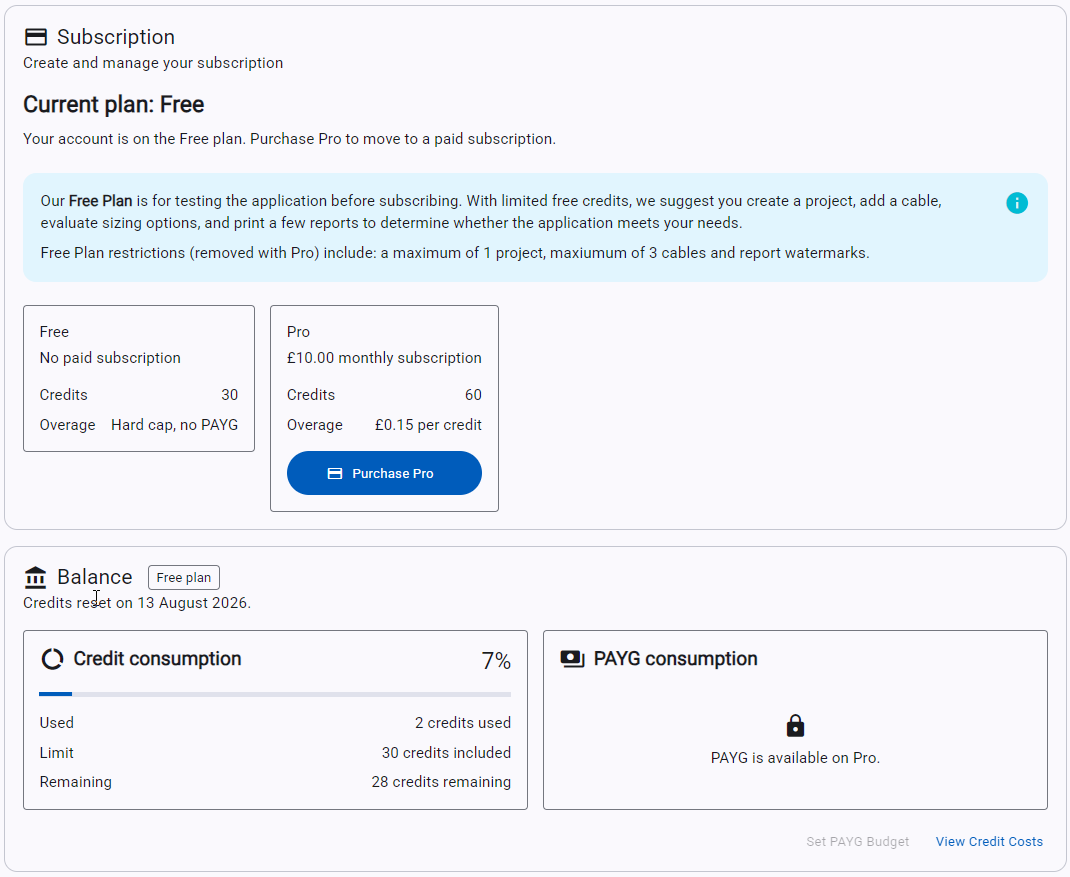
Free users can view their current plan, compare Free and Pro plans, and purchase Pro in the Subscription section. The Balance section shows the monthly credit allowance, credits used and credits remaining. PAYG is unavailable on Free, so no additional usage charges can be incurred.
Pro Plan Accounts
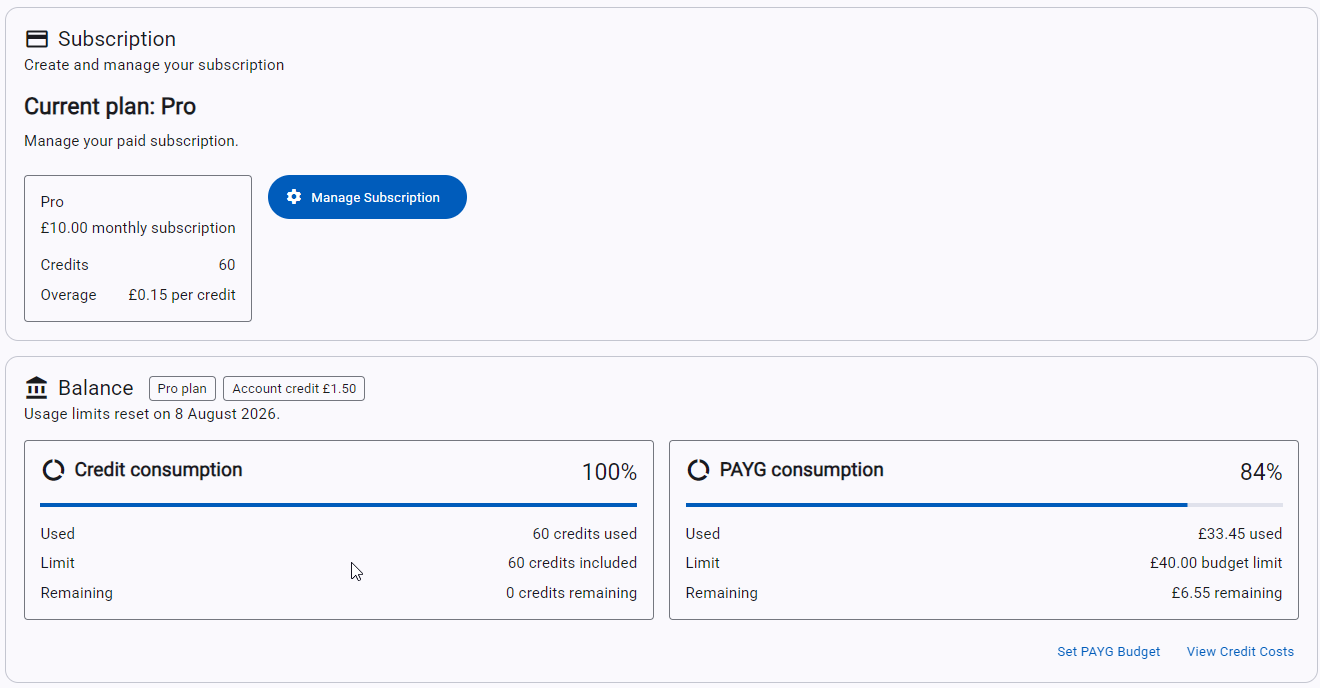
Pro users can manage their paid subscription from the Subscription section. The Account page shows the included-credit allowance and PAYG consumption separately, along with the current PAYG budget and any available account credit for future invoices.
Balance, Credits and PAYG
The Balance section provides a clear view of current usage and when the plan allowance resets.
- Credit consumption shows included credits used, the plan limit and remaining credits.
- PAYG consumption shows PAYG spend, the current budget limit, and the remaining budget for Pro users.
- Select Set PAYG Budget to set or change the maximum PAYG spend.
- Select View Credit Costs to see which actions use credits and the cost of each action.
- Any account credit is displayed beside the plan information and is automatically applied to future invoices.
Profile and Account Controls
The profile panel provides access to Edit Profile, the application colour mode and Log Out. Site administrators may also see a Site Admin option in the application menu.
For details on how pricing and credits work, see our pricing and credits page.
For general navigation and setup guidance, return to the software help overview.